Product · August 6, 2026 · 12 min read
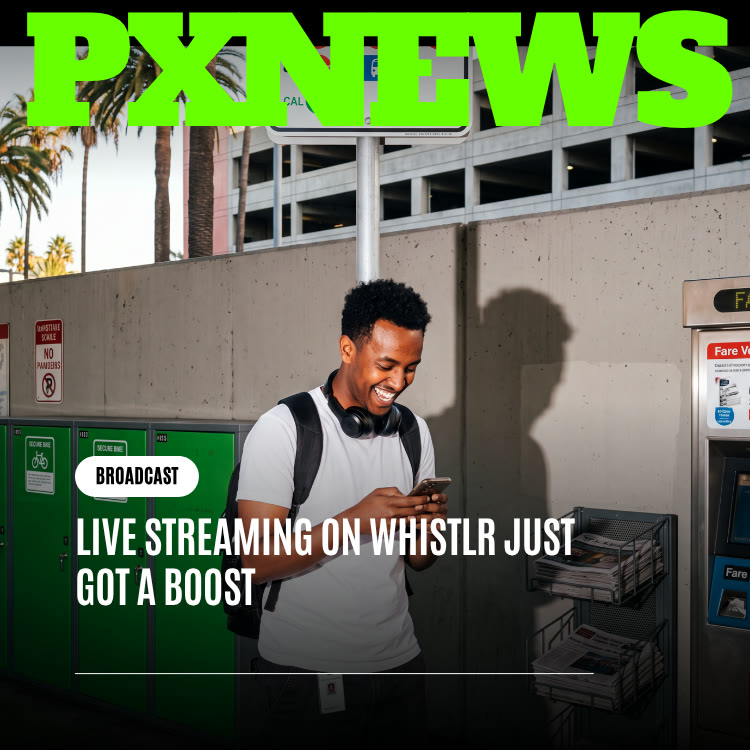
Live Streaming on Whistlr Just Got a Boost
Going live on Whistlr now takes fewer steps: a one-tap start, more go-live entry points, remembered settings and a pre-checked preview. Here is how it works.
Going live on Whistlr is now much faster. This update shortens everything that happens before a stream starts: you can begin with a single tap, reach the go-live option from more places in the app, reuse your last title, category and notification choices, and land on a preview with your camera and microphone already checked. Nothing about the live experience itself has changed, and every earning tool still works the same. Here is what is new, how to use it, and how to make quick, unplanned streams worth watching.
What Changed: A Shorter Path From Idea to Live
Earlier work on Whistlr Live focused on viewers: smoother playback, quicker chat and better discovery, covered in our post on live streams on Whistlr. This update looks at the other side of the camera, specifically the stretch between deciding to stream and actually being on air.
Previously, starting a stream meant moving through a short series of screens: details, settings, then a confirmation. Each step was reasonable on its own. Together, they added enough delay that a spontaneous moment could pass before you were broadcasting. The update compresses that sequence so the decision and the stream are nearly the same moment.
- Single-tap start: starting a live is one action rather than a sequence of setup steps.
- More ways in: the option to go live is reachable from the places you already spend time in the app, not hidden in one menu.
- Settings that carry over: your title, category and notification choices default to what you used last time.
- A ready preview: camera and mic checks happen before you reach the go-live screen, so what remains is a quick look at what viewers will see.
Why Setup Time Was the Real Barrier to Going Live
Most of the best live moments are not planned. Something funny happens, a view is too good to keep to yourself, or a conversation is already in full swing. Those moments have a short shelf life. If going live takes a minute or two of tapping through screens, many of them are gone before the stream begins.
Friction filters out small streams
Big, scheduled broadcasts always cleared the bar because they justified the effort: a product drop, a WildDraw battle, a Live Shopping event. Smaller streams did not. A five-minute hello, or a quick response to breaking news in your niche, rarely felt worth the setup. Lowering the effort does not make big streams less important. It gives small ones a fair chance to exist.
The streams you never see
The cost of friction is invisible because it shows up as streams that never started. Every creator knows the feeling: you think about going live, you start setting up, and by the time you are ready the light has changed or the moment has moved on. Repeat that enough times and you stop trying. Reducing setup is how you get those streams back.
From occasion to habit
Things you do often tend to be things that ask little of you. When streaming requires preparation, it stays an occasional event. When it is nearly effortless, it can become a regular habit, which matters because frequent, consistent lives are one of the most reliable ways to build an audience.
The biggest obstacle to going live was never the stream. It was everything standing in front of it.
The Four Improvements in Detail
One tap to start
The multi-screen setup is gone as a requirement. When you decide to stream, a single action takes you live, while the details that used to need confirming are handled in the background. You still have the chance to adjust them, but they no longer block you.
Go-live entry points across the app
You no longer need to remember where the option lives. It sits within reach of the places you already use, including your profile and the Create menu, where LIVE appears alongside POST, STORY, ROOMS, MINIS and HAVENS. That matters most when you are mid-scroll and something happens worth sharing.
Defaults that remember you
If you usually stream with a similar title, in the same category, to the same audience, Whistlr now carries those choices forward. Instead of a blank form, you see last time's settings ready to tweak or accept as they are.
A preview that is already ready
The preview opens with your shot framed and your audio confirmed working, leaving a final glance at the picture instead of a list of tasks. You can confirm you are happy with the frame and go.
Built for one hand on the move
All four changes were designed with a phone in mind, because the urge to stream usually strikes away from a desk. Fewer taps, nearby entry points and pre-set defaults add up to something you can do with one thumb while walking.
How to Go Live on Whistlr in Seconds
- Open the go-live option: choose LIVE from the Create menu or use the go-live entry point near where you already are, such as your profile.
- Glance at the preview: your camera and microphone have been verified for you. Make sure the framing works and the light is reasonable.
- Accept or tweak your details: your last title and category are filled in. Change them if this stream is different, or leave them as they are.
- Tap to go live: one action starts the broadcast, and your peers can be notified that you are live.
- Greet early viewers: say hello by name as people arrive. The first minutes set the tone for the rest of the stream.
- End cleanly: thank everyone, mention when you will be live next, and wrap up while energy is still high.
Everything Available Once You Are Live
A faster start does not mean a stripped-down stream. All of Whistlr Live's tools are available whether you planned for a week or decided ten seconds ago.
- Co-hosts: invite people or accept requests to join, with up to eight co-hosts for nine people on screen in total.
- Moderators: appoint up to 20 moderators to help manage chat.
- Questions: open an "Ask me anything!" session so viewers can submit questions for you to answer.
- Polls: let viewers vote on what happens next.
- Pinned comments: keep a key message visible at the top of chat.
- Chat safety: set hidden words for the stream, mute a commenter, hide a comment or remove someone from the live.
These tools help a spontaneous stream feel organized even when it started on a whim. A quick poll or a few viewer questions can turn a short check-in into something people remember.
When you would rather not be on camera
Not every spontaneous conversation needs video. Rooms, Whistlr's live audio rooms, are also one of the Create menu's modes and suit moments when you want to talk with your community without worrying about lighting, framing or where you are standing. Give the room a short title of up to 40 characters that tells people what the conversation is about, and you are ready. Audio rooms are a good fit for late-night chats, quick Q and A sessions and discussions where voices matter more than visuals.
Spontaneous Streams Still Earn: Gems, Live Shopping and WildDraw
For creators and businesses, the most important point is that speed costs nothing in earning power. A stream started on impulse has exactly the same monetization options as one planned for days.
WTC Gems
If you have gems switched on and a payout account connected, viewers can send gems from your catalog the moment they want to show support, and you can set a gems goal for the stream. Some of the best gem moments happen in unplanned streams where viewers are simply glad you showed up. Learn more on our gems page.
Live Shopping
Business accounts can pin products from their Whistlr Go storefront during any live, so viewers can tap Shop now without leaving. A quick stream about a new arrival or a restock can become a sales moment with no extra setup. See Live Shopping for details.
WildDraw
WildDraw, Whistlr's one-on-one live battles with gifts, fits naturally when a casual stream picks up energy and your audience starts pushing for a challenge.
Why frequency helps revenue
More lives mean more chances for viewers to find you, more opportunities for a first-time viewer to become a supporter, and more moments where a product or a gem goal lands at the right time. For a full strategy, read How to Maximize Your Revenue With Whistlr Streaming.
When to Go Spontaneous and When to Go Produced
The faster start does not replace a fully produced broadcast. It adds an easy option alongside it. Knowing when to use each makes both more effective.
Go spontaneous for
- Moments as they happen: events, views, surprises and conversations you want to share right now.
- Quick check-ins: a few minutes to say hello, share an update or answer questions.
- Behind the scenes: a look at your workspace, a packing session or a rehearsal.
Go produced for
- Launches and drops: product releases where you want everything to look and sound its best.
- Tournaments and battles: scheduled competitive streams with a promoted start time.
- Encoder setups: Whistlr Studio, ETAPX's separate creator and streaming app, and Studio Set, which gives verified business accounts an RTMP server URL and stream key, let you broadcast from streaming software and multi-camera rigs. Read about it in We Just Released the Whistlr Studio App.
Tips for Making Quick Lives Worth Watching
A fast start removes the barrier, but the stream still needs a reason to watch. These habits help short, unplanned lives land.
- Lead with the moment: point the camera at the thing that made you go live before you explain anything.
- Keep it short when it should be short: a strong five-minute stream beats a thin twenty-minute one.
- Talk to the people who join: mention viewers by name and respond to comments. Live is a conversation.
- Check your audio: wind and crowd noise can overwhelm a phone mic. Turn away from the wind or move a few steps if needed.
- Mind your surroundings: be considerate of people around you who did not choose to be on stream.
- Clip the highlight: afterwards, turn the best part into a Mini so people who missed the live can still see it.
A ten-second pre-live check
Even with setup handled for you, a quick personal check saves awkward moments. Before you tap, ask yourself three things. Is there anything on screen you would not want thousands of strangers to see, such as an address on a package, a screen with private messages or a person who has not agreed to appear? Is the light in front of you rather than behind you, so viewers can see your face? And do you know your first sentence? Opening with a clear line about why you are live keeps early viewers from drifting away while you find your footing.
How Faster Lives Help You Grow on Whistlr
Going live more often is not just convenient. It feeds directly into how people find you.
More chances to be discovered
Flow is Whistlr's live hub, with tabs for Explore, E-Sports, Trending, Popular and Upcoming. Each time you go live, you give viewers browsing Flow another opportunity to land on your stream. A creator who streams several short sessions a week appears in front of far more passers-by than one who streams once a month.
Your peers know when you are on
When you start a live, the people who follow you can be notified, so the audience you have already built can join within the first minutes. Regular, predictable appearances teach them to watch for those alerts.
Better material for everything else
Every stream produces moments you can reuse. Turn highlights into Minis, quote a great viewer question in a whistle on Chattr, or post a story recapping what happened. Whistlr's rankers weigh watch time, engagement and how quickly content is shared, so a strong clip posted soon after a live can bring new viewers to the next one.
Learn when your audience is around
Your professional dashboard insights include the times your followers are most active. Use them to decide when a quick live is most likely to find an audience, and compare how streams at different times perform.
Frequently Asked Questions
How do I go live on Whistlr?
Choose LIVE from the Create menu or use a go-live entry point such as the one near your profile. Check the preview, accept or adjust your title and category, and tap once to start.
Does the update change anything once I am live?
No. The update only changes how quickly you can start. Co-hosts, moderators, questions, polls, pinned comments and chat safety tools all work exactly as before.
Will Whistlr remember my stream title and category?
Yes. Your title, category and notification choices now default to what you used last time, so you can accept them as they are or make quick edits before going live.
Can I still earn from a stream I start on the spot?
Yes. WTC Gems, gems goals, Live Shopping for business accounts and WildDraw battles are all available in spontaneous streams, just as they are in planned ones.
Can I still stream from an encoder or streaming software?
Yes. Whistlr Studio and Studio Set, which provides an RTMP server URL and stream key for verified business accounts, remain available for produced broadcasts alongside the faster mobile path.
How many people can join my live stream as co-hosts?
You can have up to eight co-hosts, for nine people on screen in total, and you can appoint up to 20 moderators to help manage chat.
Live streaming on Whistlr now moves at the speed of the moment. The produced broadcast is still there when you need it, but the quick, unplanned stream no longer needs an appointment. Next time something is worth sharing, you can be live before it is over.